VaudTax · Chapter 11/11
Checking and filing your VaudTax return: documents, receipt and what happens next
Key points
- Before filing, go through the common mistakes checklist below (missing certificates, home office, subsidies, forgotten accounts).
- Attach mandatory documents directly in VaudTax: salary certificates, tax statements, 3a certificates, pension buy-ins from CHF 10,000, childcare invoices.
- After filing, download and keep the « Quittance et avis récapitulatif » PDF: it is your only proof of filing.
- You have 6 days to send a corrected version. Later, the tax assessment arrives and you have 30 days to object if it is wrong.
Checklist before filing
- A forgotten salary certificate (summer job, second employer, unemployment benefits).
- Commuting and meal deductions not reduced despite home office or a work interruption.
- CHF 3,200 meals claimed while box G (canteen) is ticked on the certificate.
- Health insurance subsidies not entered: the tax office knows them and will correct.
- Foreign account, a minor child's savings or crypto forgotten in the securities list.
- Withholding tax not recovered because Swiss dividends were not declared.
- Spouse's pillar 3a entered under the wrong taxpayer.
- Housing deduction (code 660) forgotten by a modest tenant household.
- Childcare costs without receipts attached.
Attaching documents
VaudTax lets you attach documents electronically; they are stored in your .vaudtax file and sent with the return. Mandatory documents: salary certificates, eRelevé fiscal or securities tax values at 31 December, pillar 3a certificates, pension buy-in certificates from CHF 10,000, childcare receipts, and original lottery win statements subject to withholding tax. Keep all other receipts in case the tax office asks.
Submitting the return
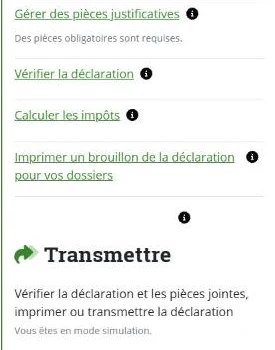
- 1Save your .vaudtax file to your device one last time.
- 2Start the electronic submission in VaudTax and follow the validation steps.
- 3Wait for the « Quittance de votre dépôt de déclaration d'impôt » screen. A « Quittance et avis récapitulatif » PDF downloads automatically.
- 4Make sure the PDF is saved before closing the window: once closed, it cannot be regenerated.
- 5No signature is needed and nothing needs posting, except documents you could not attach (use the A3 folder you received).
Correcting after submission
You have 6 days after the first electronic submission to send a new complete version, which replaces the previous one. After that, you can still send a corrected paper return as long as the assessment has not been issued, or write to your tax office.
Paying or getting a refund
- You paid provisional instalments during 2026. If your real tax looks much higher, make a voluntary payment by the end of March with the blank QR bill received with the return, to limit interest.
- If your situation has changed permanently (new job, pay rise), adjust the current year's instalments with the e-ACO online service.
- For refunds, provide your IBAN (account in your or your spouse's name), for example via e-InfoRemboursement.
After filing: assessment and objection
Your district tax office reviews the return, sometimes asking for documents, then sends the tax assessment (décision de taxation) and the final statement, usually during the following year. Any balance is payable within 30 days. If you disagree, file a written, reasoned objection (réclamation) within 30 days of notification. After that, the assessment becomes final.
Frequently asked questions
How do I know my VaudTax return was submitted?
You must see the « Quittance de votre dépôt de déclaration d'impôt » screen and have downloaded the « Quittance et avis récapitulatif » PDF. Without both, the filing is not valid.
How long do I have to object to a Vaud tax assessment?
30 days from notification of the assessment, with a written and reasoned objection sent to the tax office.
Rather hand it over?
NeoFidu prepares and files your Vaud tax return for you, including a check for missed deductions. Service in English available.
This guide is for information only and is not personalised advice. Amounts come from official publications of the Vaud cantonal tax administration (ACI). VaudTax itself is in French: we quote the French labels so you can find them on screen. If in doubt, the official ACI instructions prevail.