VSTax · Chapter 11/11
Checking and filing your VSTax return: validation, tax estimate, documents and paperless filing
Key points
- Before filing, run the validation (« Outils » menu): it lists empty mandatory fields and inconsistencies. A return that fails validation is marked « incomplet » (incomplete).
- The estimated calculation (« Calcul de l'impôt » menu) gives the expected cantonal, municipal and federal tax.
- Attach documents as PDF, JPG, PNG or TIFF, from your computer or with VSTax-QR and the Tell Tax app, sorted by category.
- Filing is online, with the 10-character password. With 100% of documents online, no signature is needed and you have 15 days to correct it.
Validating the return
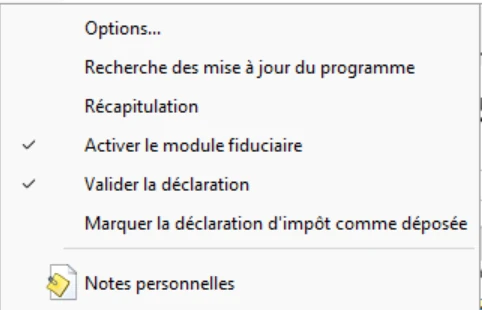
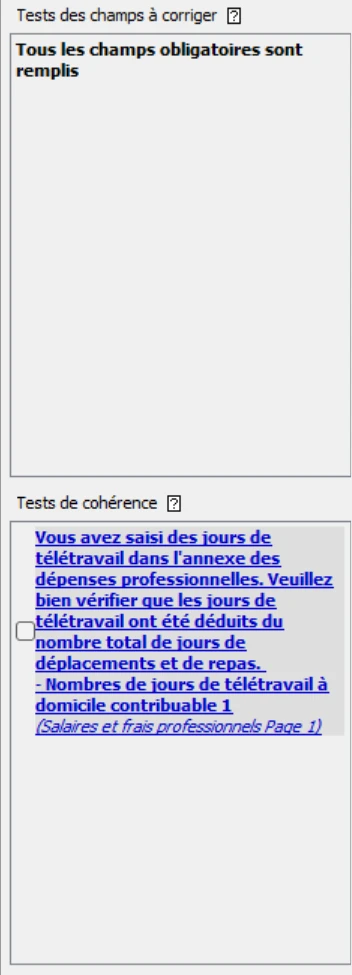
In the « Outils » menu, « Valider la déclaration » is an on/off option: while it is ticked, VSTax checks the return continuously. Validation checks that all mandatory fields are filled in and that the data is consistent. Results appear in the validation area, in two blocks: « Tests des champs à corriger » (fields to correct) lists empty mandatory fields, « Tests de cohérence » (consistency checks) lists inconsistencies in the data (for example home-working days not deducted from commuting days). Clicking a message takes you to the field. A consistency check is only a warning: if your situation is correct, tick its box to mark it as met. Validation also runs automatically before printing and filing.
The estimated tax calculation
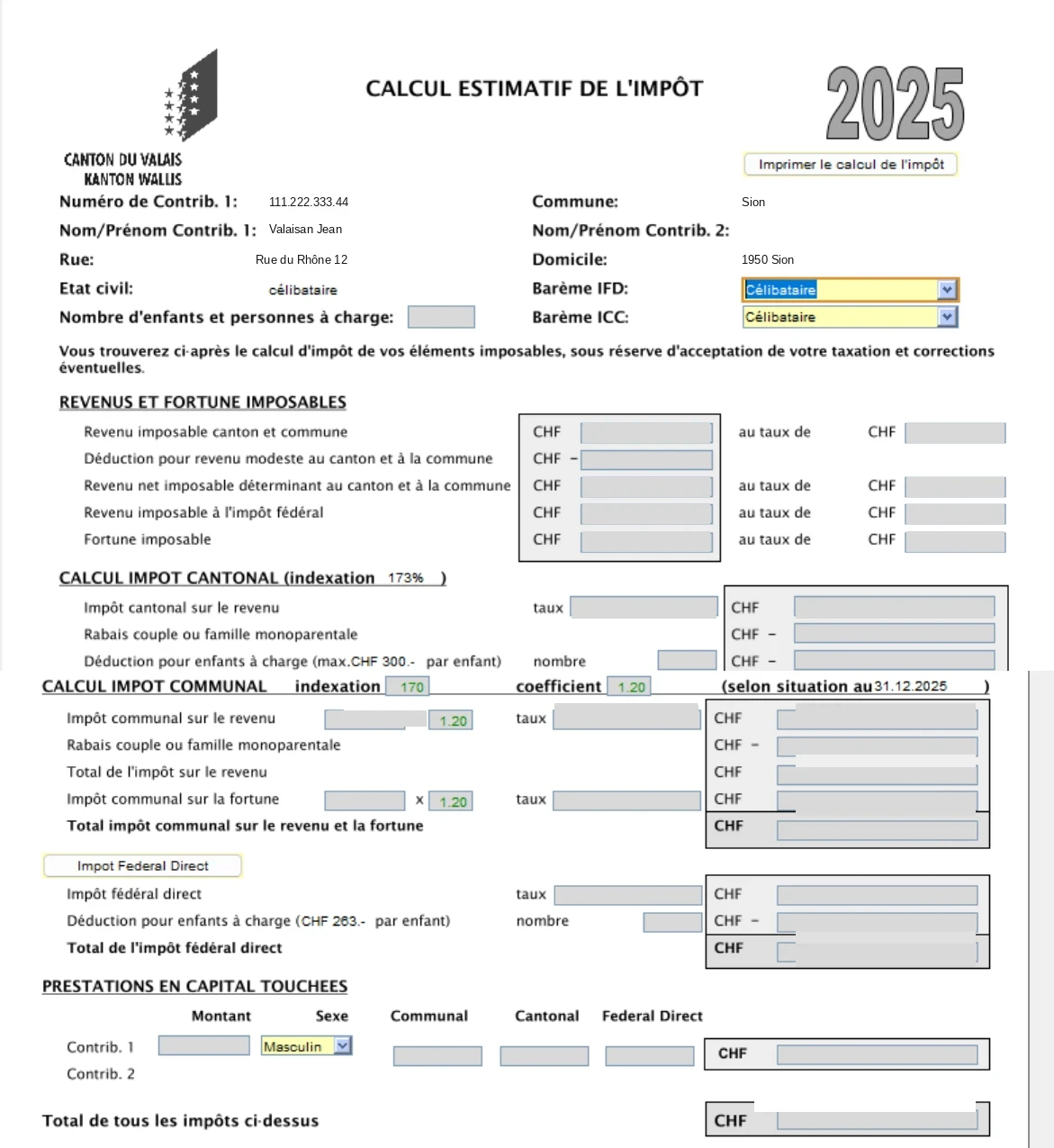
VSTax shows an estimated calculation of cantonal tax, municipal tax (based on your municipality's coefficient and indexation) and direct federal tax. Compare it with your provisional payments: a large gap often points to a misplaced amount (gross salary instead of net, expenses entered twice). The Outils, Récapitulation (summary) menu also compares your income with the previous year.
Attaching documents
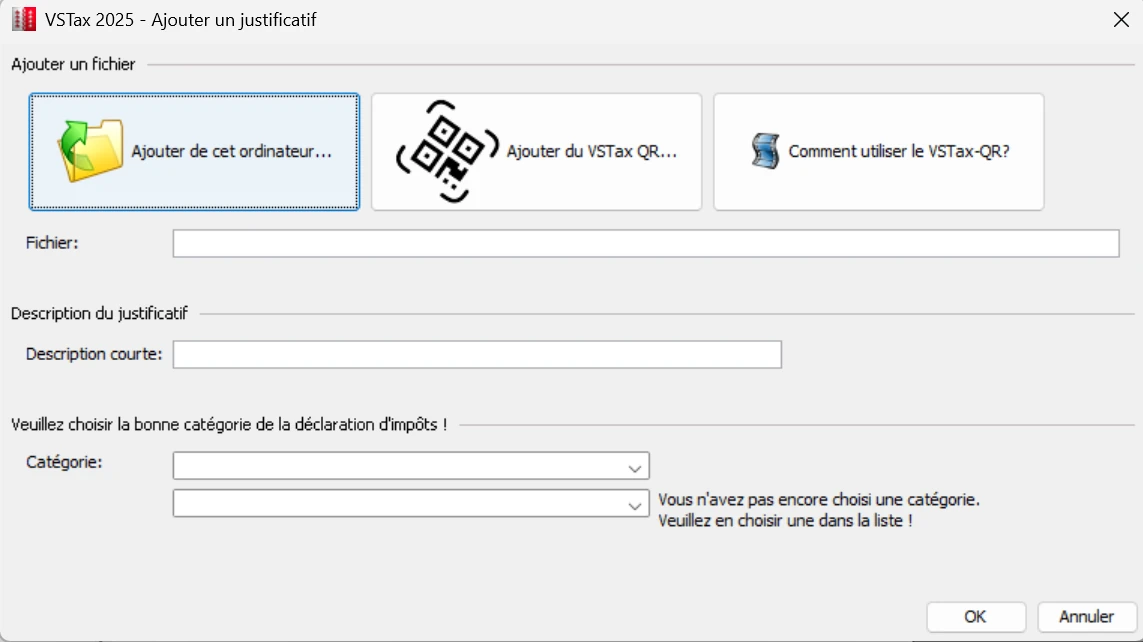
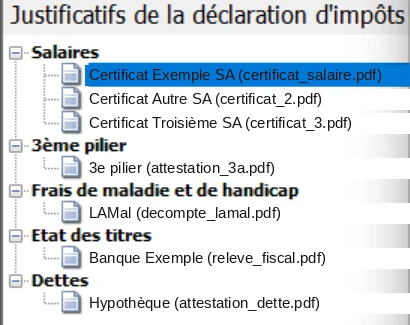
The « Justificatifs de la déclaration d'impôts » (supporting documents) area on the left takes PDF, JPG, PNG or TIFF files, via the add button or drag and drop. For each file, choose a category: salaries, pensions, securities list, debts, property upkeep, work expenses, pillar 3a, medical costs, donations, training, child deductions, life insurance, lump sum, other documents. Sorting lets the SCC link each document to the right section.
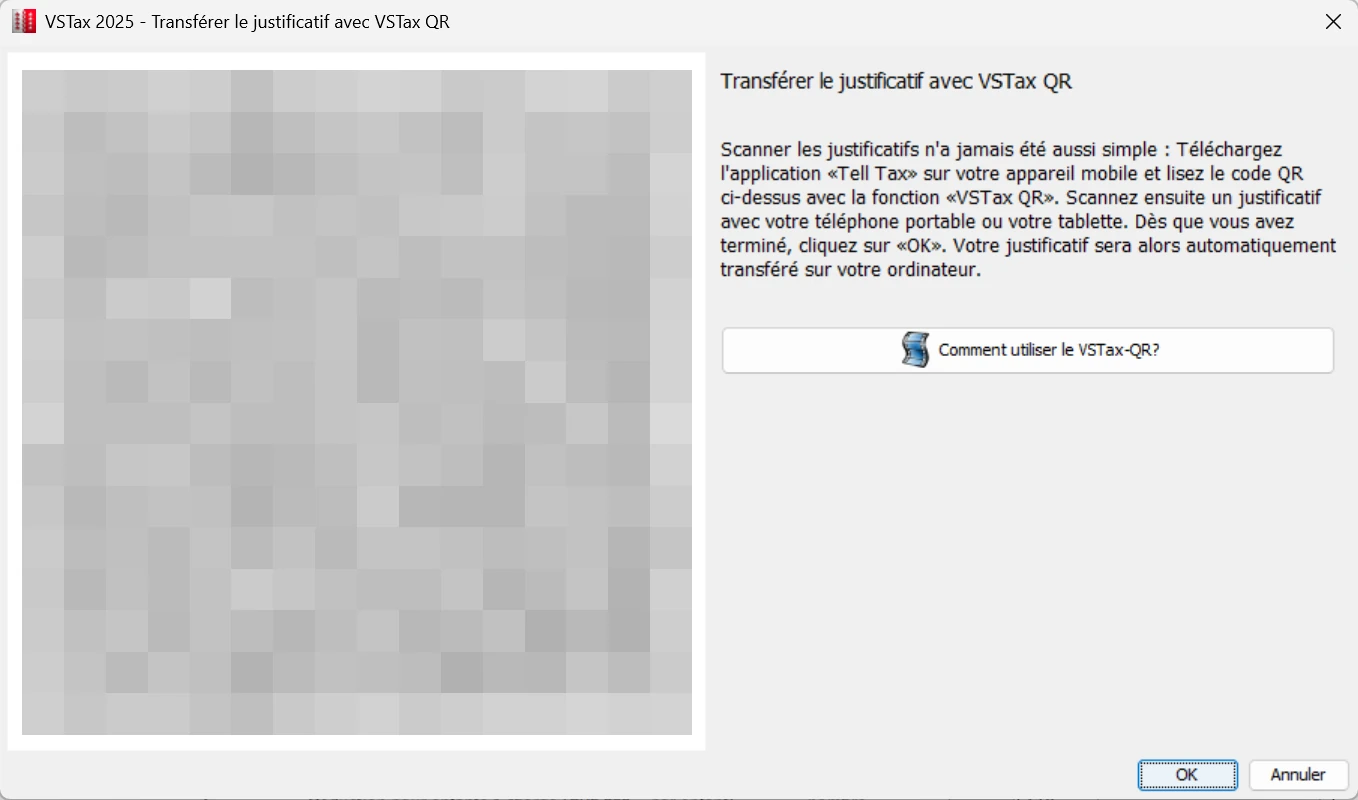
- VSTax-QR: the « Justificatifs », « Ajouter un justificatif avec VSTax QR... » menu (F12 key) shows a QR code. Open the free Tell Tax app on your phone, « VsTax-QR » section, scan the code and photograph your documents: they go straight into VSTax.
- End of the Tell Tax cloud: from tax year 2026, Tell Tax no longer stores documents in the cloud. Only the VSTax-QR route remains.
- For paperless filing, every section you filled in must have supporting documents: VSTax refuses to file while a category you used has none.
Filing the return online
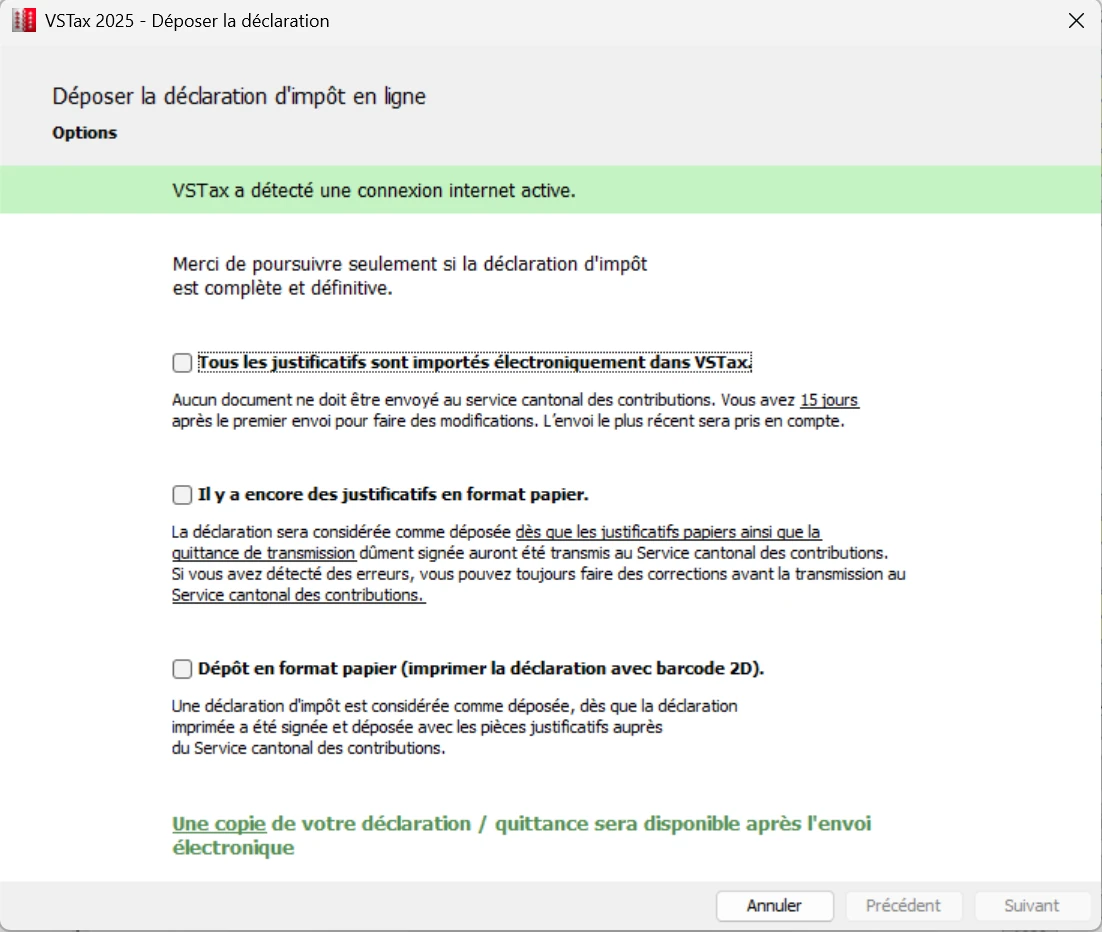
- 1VSTax saves the return and runs a full validation.
- 2Step 1: choose how to file. For paperless filing, give a valid email address and say whether it is your own return or someone else's.
- 3Step 2: enter the 10-character password printed on your return and click « Démarrer la transmission » (start filing). The connection is encrypted.
- 4Step 3: save or print the receipt (« quittance »). With paper documents, print it, sign it and post it with those documents to the Service cantonal des contributions, Centre de scannage, Av. de la Gare 35, 1951 Sion.
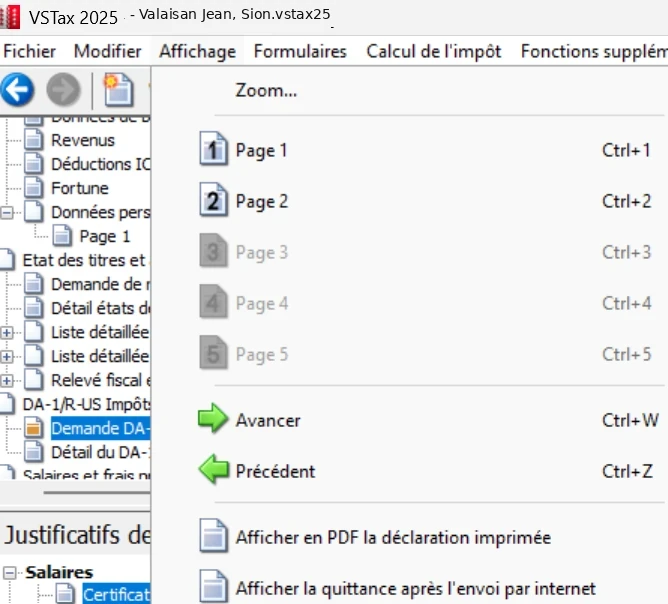
- 5Step 4: click « Terminer » (finish). The receipt remains available under « Affichage », « Afficher la quittance après l'envoi par internet ».
| Option | Documents | Signature | To post |
|---|---|---|---|
| All online (recommended) | 100% scanned in VSTax | No | Nothing: keep the electronic receipt |
| Online and paper | Partly scanned | Yes, on the receipt | Signed receipt and paper documents |
| Full printout | Paper | Yes | Full return, only without an internet connection |
If filing fails, check the password (including capitals), then your connection and proxy settings under « Outils », « Options ». The SCC sends assessments weekly, over a campaign lasting about a year. Keep the .vstax file and your documents: it will be the starting point for next year.
Frequently asked questions
Do I need to sign the VSTax return?
No, if you file online with 100% of documents scanned. If some documents are sent on paper, you must print, sign and post the receipt with them.
Can I correct a VSTax return after filing?
Yes, within 15 days of fully electronic filing, by sending a new version. After that, by letter for a small correction, or by filing a full printed return for a major one.
How do I scan documents with my phone?
In VSTax, « Justificatifs » menu, « Ajouter un justificatif avec VSTax QR... »: a QR code appears. Scan it with the Tell Tax app (« VsTax-QR » section), then photograph the documents.
My VSTax password does not work. What should I do?
Check capitals and look-alike characters (0 and O, 1 and l). The password has 10 characters and is on page 1 of the return or page 2 of the information sheet. If lost, contact your municipality or the SCC.
Rather hand it over?
NeoFidu prepares and files your Valais tax return for you, including holiday homes and source tax cases, with a check for missed deductions. Service in English available.
This guide is for information only and is not personalised advice. Amounts come from official publications of the Valais cantonal tax service (SCC) and the Swiss Federal Tax Administration. VSTax is only available in French and German: we quote the French labels, followed by a translation, so you can find them on screen. Screenshots show VSTax 2025 with fictitious data. If in doubt, the official SCC guide prevails.