FriTax · Chapter 11/11
Checking and filing your return with FriTax: tax calculation, supporting documents and receipt
Key points
- Before filing, open the « Calcul de l'impôt » (tax calculation) form, at the bottom of the « Formulaires » list, for an estimate of your cantonal, municipal, parish and federal tax.
- FriTax itself tells you which documents to attach based on your entries. Files up to 3 MB; a phone photo is enough.
- Electronic filing uses the FriTax code. The receipt replaces your signature: check it.
- You can send a corrected version within 72 hours, as many times as needed. After that, the return is deemed filed.
Checking the return and the tax calculation
The « Calcul de l'impôt » form (« Calcul estimatif de l'impôt », estimated tax calculation) estimates your cantonal tax (96% multiplier in 2026), municipal and parish tax, using your municipality's and parish's multipliers, and direct federal tax. It is an estimate: the SCC's assessment is binding. Compare the result with your instalments: if the tax due is clearly higher, you can make a voluntary instalment with the slip provided, to limit late-payment interest.
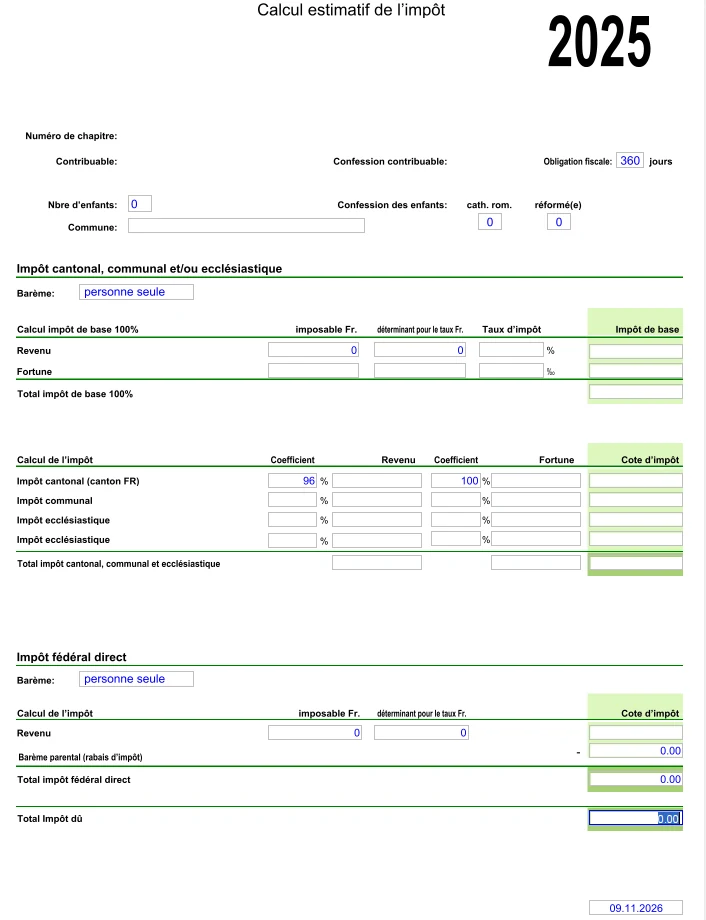
- Is all income there, including person 2's, benefits and pensions?
- Do the working and meal days in schedule 03 take home office into account?
- Does every account opened or closed in 2026 appear in the securities list?
- Do the children have the right box (A*, B* or C*) and is childcare entered?
- Do pillar 3a, buy-ins and maintenance paid have their certificates?
Supporting documents
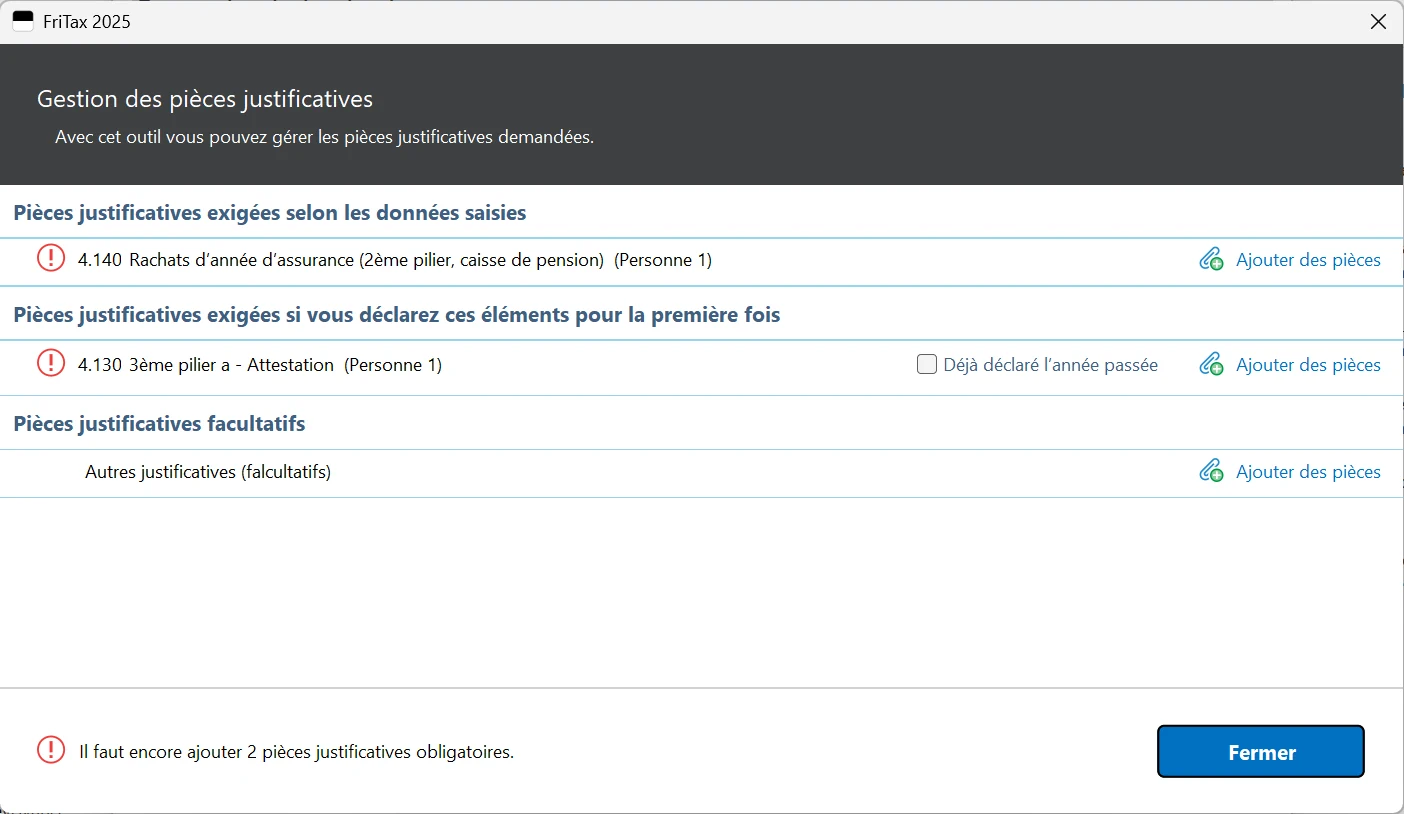
With electronic filing, most documents are no longer required: FriTax lists the documents to attach based on what you declared, in the « Gestion des pièces justificatives » window (paperclip icon in the toolbar), and its requirements take precedence over the general instructions. Usually still required: accounts for the self-employed, securities custody statements and some bank statements above a threshold, pillar 3a and pension buy-in certificates, property upkeep costs above a threshold, disability costs, and pensions in the first year they are declared.
- Each file can be up to 3 MB.
- No scanner? A photo taken with your phone is accepted.
- Never send originals: the SCC scans documents and then destroys them.
- Keep all documents for 10 years: the SCC may ask for them during an audit.
Filing online with the FriTax code
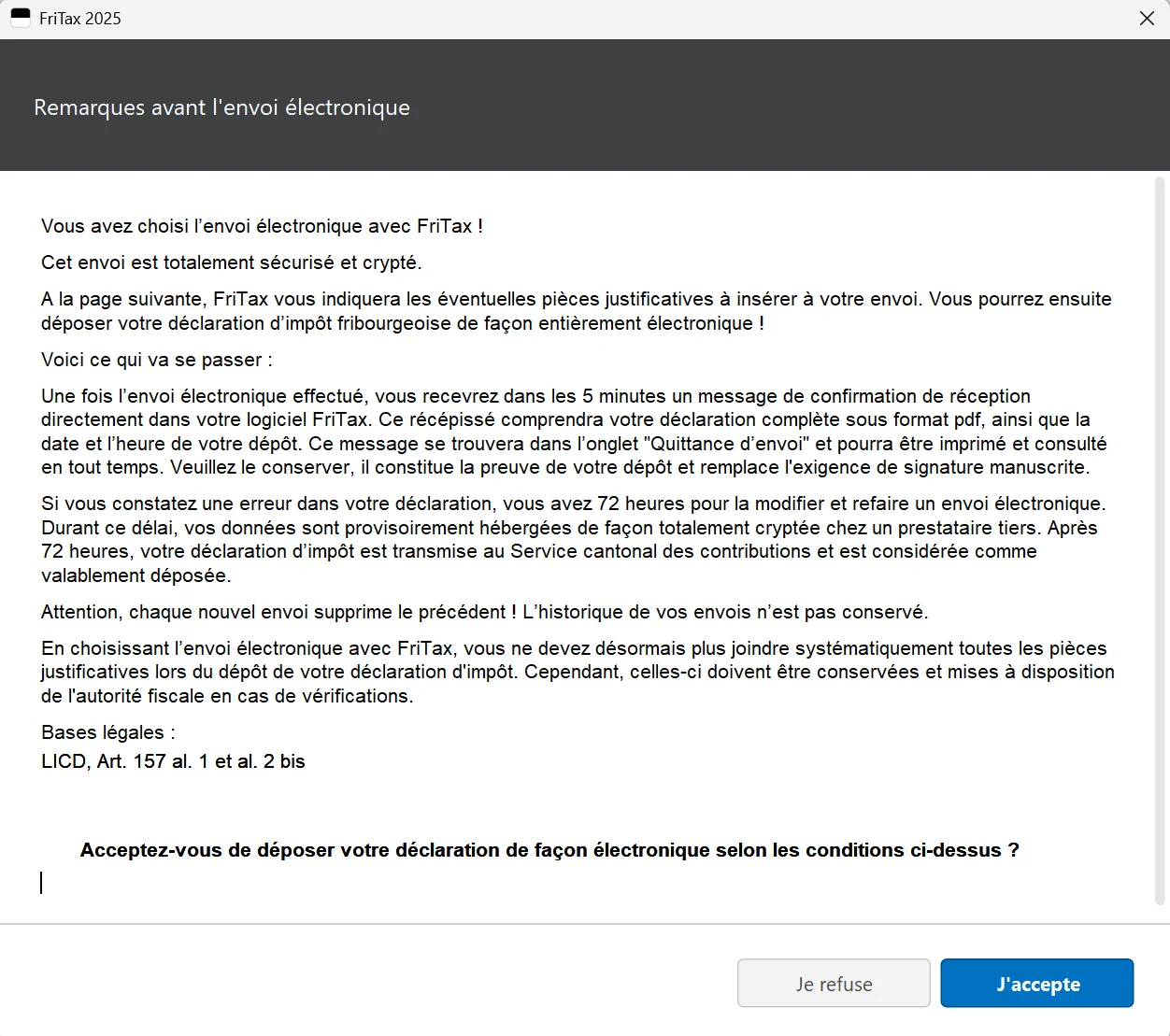
- 1Click « Envoi électronique » (electronic filing) in the toolbar and accept the conditions (« J'accepte »).
- 2FriTax shows the supporting documents to attach: add them.
- 3Enter the 6-character FriTax code (capitals) printed on the « Déclaration d'impôt » folder and confirm: the transmission is encrypted and secure.
- 4Within 5 minutes, a receipt arrives in FriTax, « Quittance d'envoi » tab: it contains your full return as a PDF, with the date and time of filing. Keep it: it is your proof of filing.
- 5Export a backup of your return (« Exporter déclaration d'impôt » on the start screen) for next year.
Electronic filing is possible until 31 December of the year after the tax period, i.e. until 31 December 2027 for the 2026 return; after that only paper is accepted. Filing by email is not possible. Electronic filing is also the only way to get fast-tracked processing, useful for subsidy or study grant applications.
Filing on paper
If you prefer paper, FriTax prints the return, schedules and a barcode sheet on plain paper. Sign every printed document (both spouses for a couple), put them with the supporting documents into the original folder and send everything, stamped, to the Service cantonal des contributions, case postale, 1701 Fribourg. With a paper return, all supporting documents listed in the general instructions must be attached.
After filing: assessment and payment
- Cantonal and municipal tax: normally paid in 9 instalments, then a final statement after the assessment. Decisions arrive throughout the year, on dates that vary from year to year.
- Interest: for 2025 cantonal tax, the SCC charged 3.75% late-payment interest on instalments paid late or short and paid 0.25% on voluntary advance payments; rates are set each year.
- Direct federal tax: provisional bill due by 31 March 2027, then a final statement with the assessment; voluntary instalments possible from July 2026.
- Standing orders: update them every year, as the payment slip reference changes.
- Objections: written objection within 30 days of notification of the assessment.
Frequently asked questions
Do I need to sign a return filed with FriTax?
No. With electronic filing, the receipt replaces the handwritten signature (art. 157 and 158 LICD). Only a paper return must be signed.
Can I correct a return already filed with FriTax?
Yes, within 72 hours of the receipt, by resending a new version as many times as needed. After that the return is deemed filed and corrections go by letter to the SCC.
What size can supporting documents be in FriTax?
Up to 3 MB per file. Phone photos are accepted. FriTax tells you which documents to attach based on your entries.
Until when can I file the 2026 return online?
Until 31 December 2027, subject to your filing deadline. After that date, only paper returns are accepted.
Rather hand it over?
NeoFidu prepares and files your Fribourg tax return for you, including property and subsequent ordinary assessment (TOU) cases, with a check for missed deductions. Service in English available.
This guide is for information only and is not personalised advice. Amounts come from official publications of the Fribourg cantonal tax service (SCC) and the Swiss Federal Tax Administration. FriTax is available in French and German only: we quote the French labels, followed by a translation, so you can find them on screen. Screenshots show FriTax 2025 with fictitious data. If in doubt, the SCC's general instructions prevail.