Clic&Tax · Chapter 1/11
Before you start Clic&Tax: installation, carrying over last year, 2027 deadline and extensions
Key points
- Clic&Tax is a free download from ne.ch (Impôts, Clic & Tax) for 64-bit Windows 10, macOS 10.15 or later and Linux. There is no online version: the return is completed on your computer.
- The first time you open it, Clic&Tax offers to carry over last year's data, provided you kept the previous version's folder.
- Deadline: the date printed on page 1, normally end of February 2027 (20 February 2026 for the 2025 return).
- Extension free until 30 April, CHF 25 until 30 June, CHF 40 after that, never beyond 31 October. No return: formal notice with 30 days, then an estimated assessment and a fine.
Downloading and installing Clic&Tax
| System | Version to download | Note |
|---|---|---|
| Windows | « Clic & Tax Windows (exe) » | 64-bit Windows 10 or later; the 32-bit version can no longer be used |
| macOS | « Clic & Tax Mac français » | From macOS 10.15; installation notes are provided |
| Linux | « Clic & Tax Linux » | Installation notes for Ubuntu |
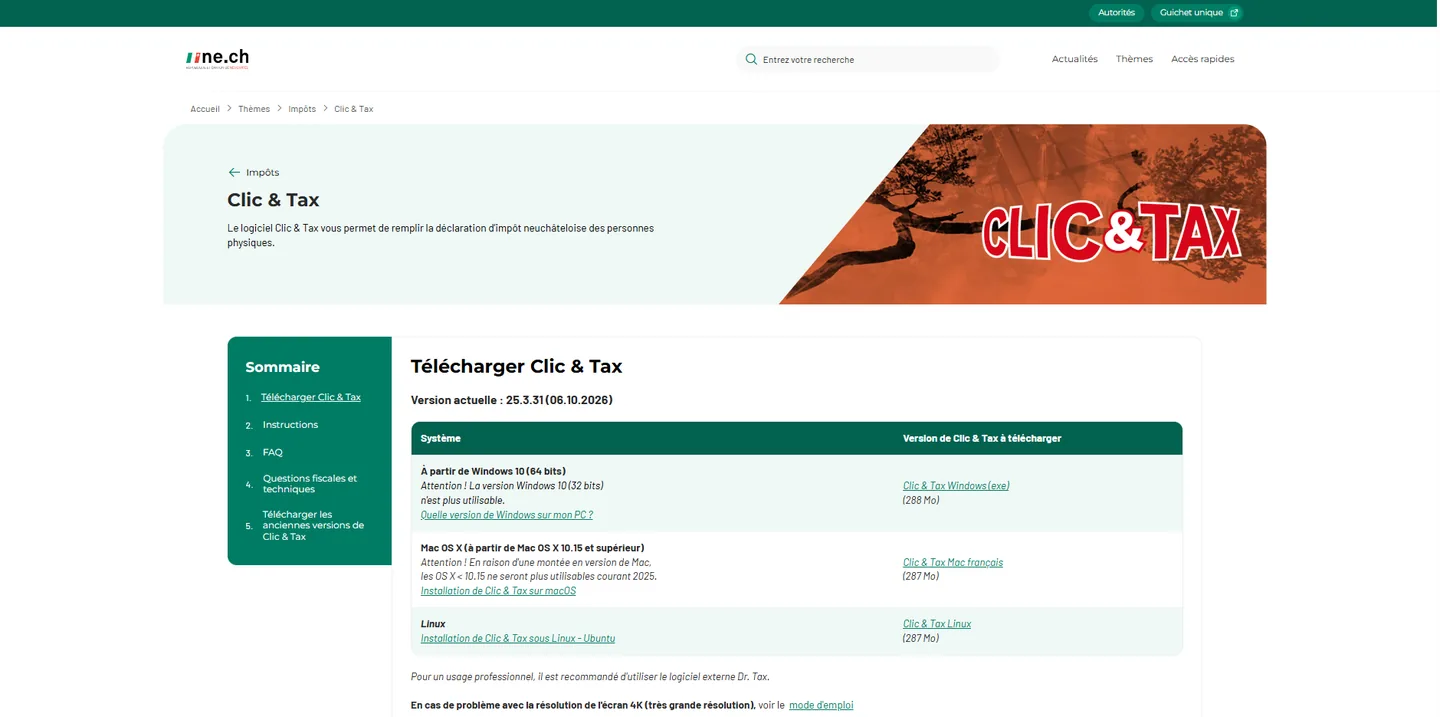
Clic&Tax is the only official tool for completing the Neuchâtel return on a computer: unlike other cantons, there is no browser version. Each version only works for its own tax period: Clic&Tax 2025 only completes the 2025 return, and the 2026 version comes out at the start of 2027, when you receive your return. Each time it starts, the program checks that it is up to date and offers an update (recommended) or the full version. If the check window stays stuck, allow Clic&Tax through your firewall or antivirus. You need Acrobat Reader to display the instructions.
Getting started: carry over last year or start from scratch
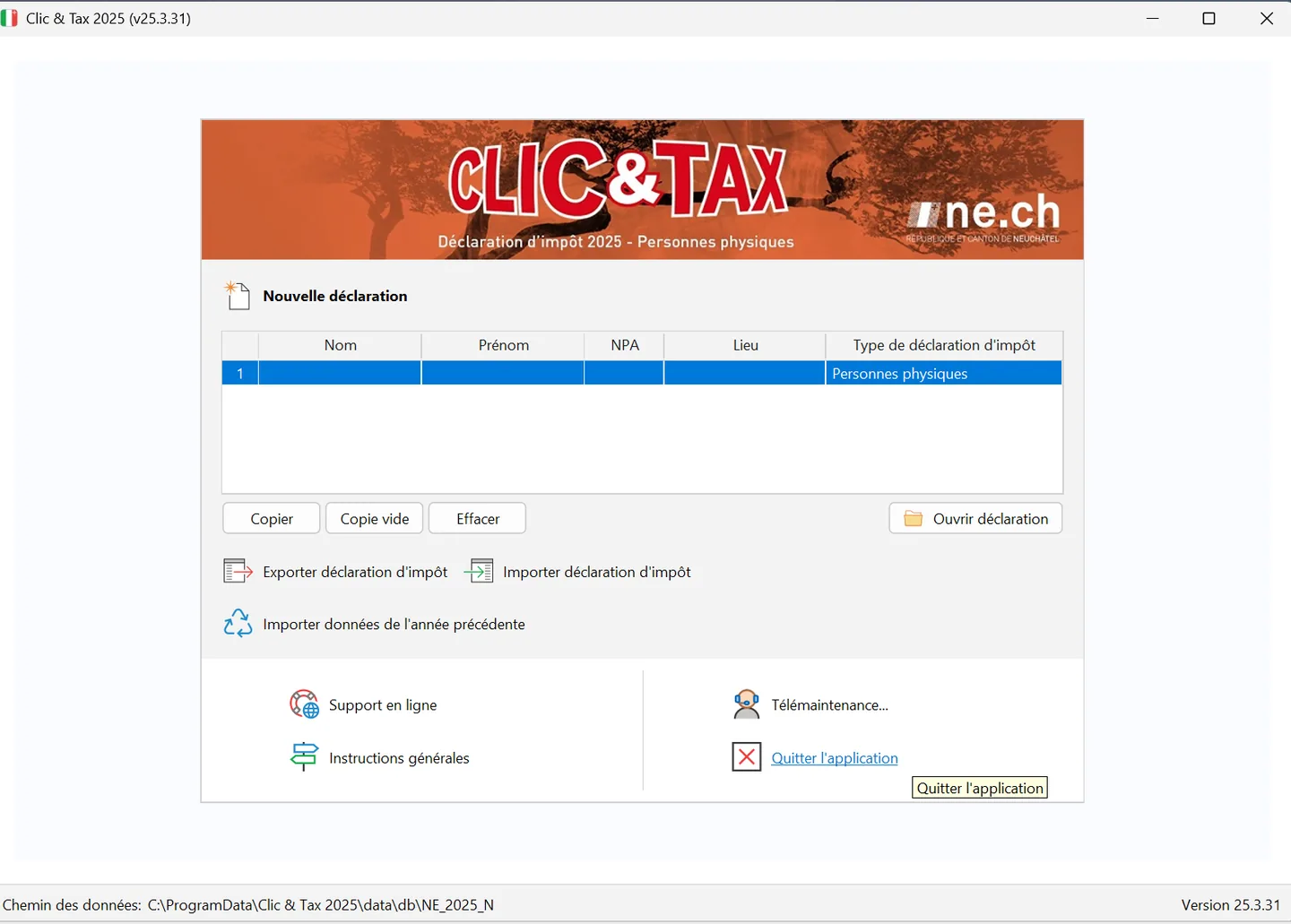
When you open the new version, if no return has been created yet, Clic&Tax automatically offers to retrieve the data from the previous year. If last year's file was moved, the program opens a file browser so you can find it. Otherwise, the start screen lists your returns and offers the buttons « Nouvelle déclaration » (new return), « Ouvrir déclaration » (open), « Copier » (copy), « Copie vide » (empty copy) and « Effacer » (delete), plus « Importer données de l'année précédente » (import last year's data) to run the import at any time. At the bottom of the window, the « Chemin des données » (data path) line shows where your returns are saved (on Windows: C:\ProgramData\Clic & Tax 2025\data\db\NE_2025_N for the 2025 version).
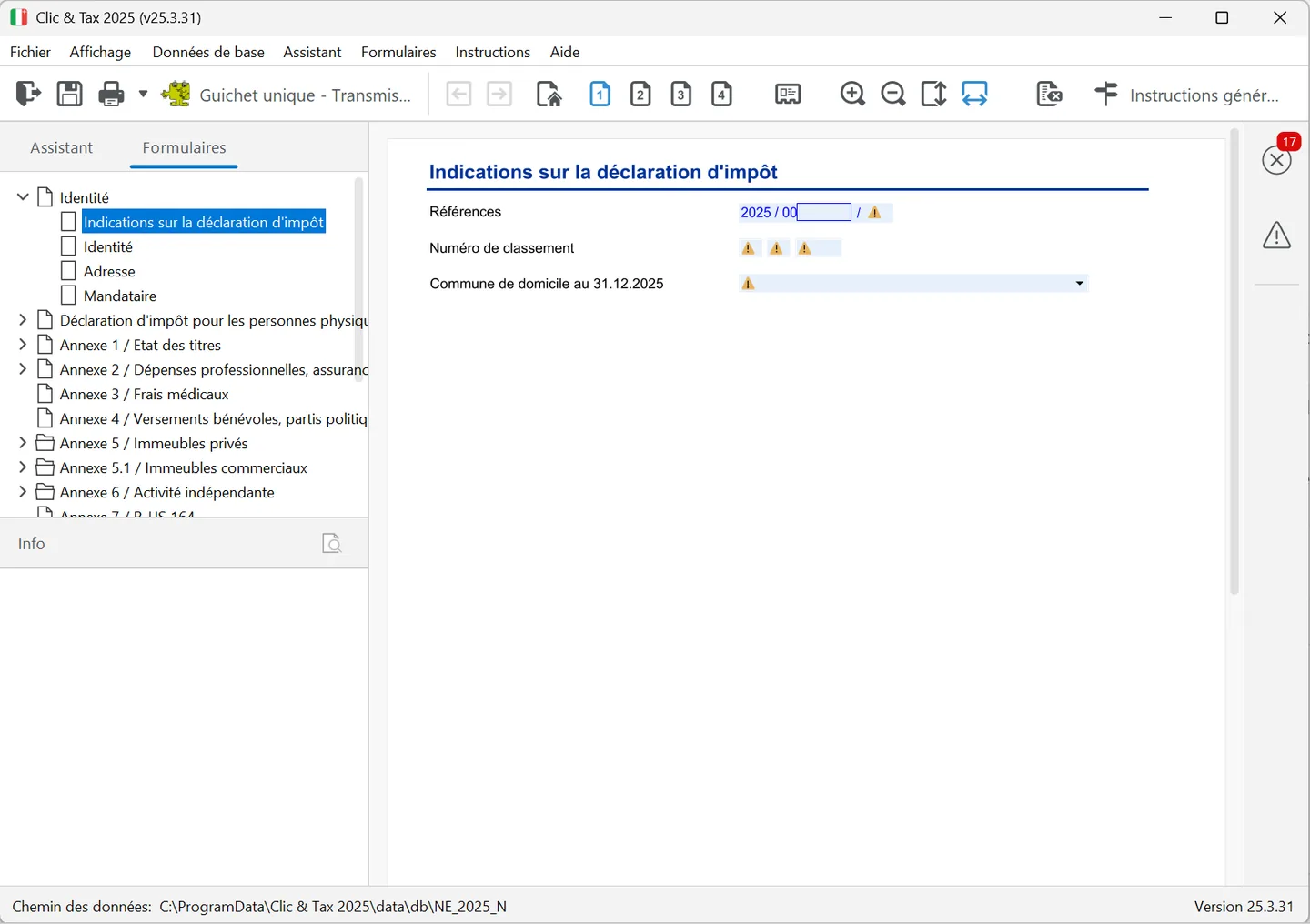
Once the return is open, the working window has two tabs on the left: « Assistant » (wizard), which asks questions one at a time, and « Formulaires » (forms), which shows the tree of the return's pages (Identité, Déclaration d'impôt pour les personnes physiques, then annexes 1 to 9). The menu bar gives access to « Fichier » (file), « Affichage » (view), « Données de base » (basic data), « Assistant », « Formulaires », « Instructions » and « Aide » (help). On the right, a red cross with a number shows how many errors are left and a triangle the warnings; on the pages, a small orange triangle marks each field still to fill in.
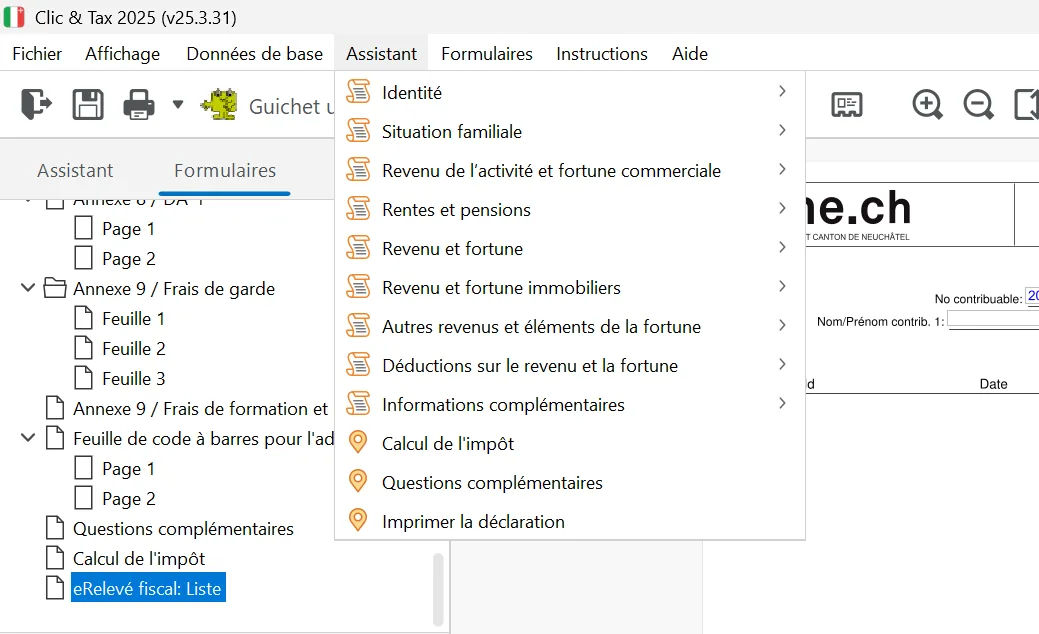
The « Assistant » menu takes you to the same topics as the wizard: « Identité », « Situation familiale », « Revenu de l'activité et fortune commerciale », « Rentes et pensions », « Revenu et fortune », « Revenu et fortune immobiliers », « Autres revenus et éléments de la fortune », « Déductions sur le revenu et la fortune », « Informations complémentaires », then « Calcul de l'impôt », « Questions complémentaires » and « Imprimer la déclaration ».
- Automatic saving every 5 minutes, before each printout and when you close; a button lets you save whenever you want.
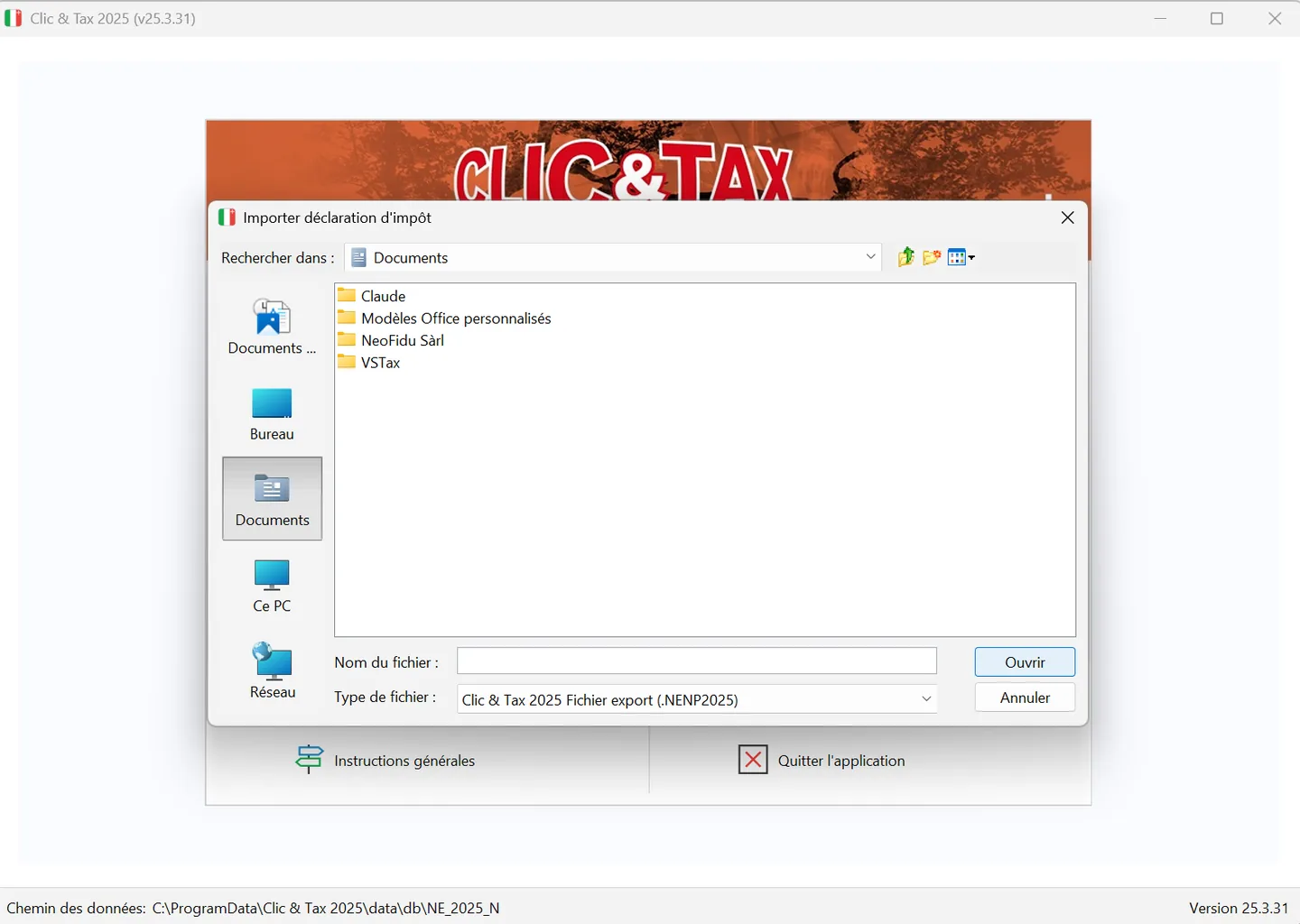
- Five returns at most per computer. To complete more, export old ones with the « Exporter déclaration d'impôt » (export tax return) button on the start screen, then delete them with « Effacer »; « Importer déclaration d'impôt » brings them back (.NENP2025 file for the 2025 version).
- No password is possible: if you share the computer, export your return to a USB stick and delete it from the program.
- « Info » panel: when the cursor is on a section, the matching part of the general instructions appears at the bottom left, below the tree. The full instructions open with the « Instructions générales » toolbar button or through the « Instructions » menu.
- The installed version is shown at the bottom right of the screen, or via the « Aide » (help) menu, « Info ».
The first form page, « Indications sur la déclaration d'impôt » (return details, under Identité), asks for three items printed on page 1 of your paper return: the « Références » (reference number), the « Numéro de classement » (filing number) and your municipality of residence on 31 December. The reference is made up of the tax year, an eight-digit personal number starting with 00 (Clic&Tax already shows « 00 ») and a two-digit check number. Quote it in all correspondence with the tax service.
Filing deadline and extensions
| Step | Rule |
|---|---|
| Ordinary deadline | Date printed on page 1: 20 February 2026 for the 2025 return; normally end of February 2027 for the 2026 return |
| Extension until 30 April | Free; the request is not confirmed |
| Extension from 30 April to 30 June | Fee of CHF 25 |
| Extension beyond 30 June | Fee of CHF 40 |
| Absolute limit | 31 October: no extension is granted beyond it |
| How to request | Online form on ne.ch, Guichet unique, or a written request with reasons before the deadline |
The fee depends on the date you actually file the return: an extension to 30 September therefore costs CHF 25 if you end up filing before 30 June. A fiduciary acting for you can request extensions on your behalf, under a separate scale for representatives.
Pay on time even if you request an extension. The interim statement (« décompte intermédiaire »), sent in February, compares the estimated tax with the instalments paid in 2026: if money is missing, pay the difference before 31 March 2027 to avoid compensatory interest.
Documents to gather
- 2026 salary certificates from each employer, statements of unemployment benefits, loss-of-earnings allowances and daily allowances (sickness, accident, disability).
- AHV, disability, pension fund, pillar 3, SUVA and life annuity statements.
- Bank tax statements at 31 December 2026, securities statements, proof of foreign tax withheld at source, original lottery win certificates.
- Pillar 3a certificates, pension fund buy-in certificates (the first time, with the buy-in potential calculated by the fund), surrender values of life insurance policies at 31 December.
- Health and accident insurance premiums paid in 2026 and, if you receive them, the subsidies from the cantonal health insurance office.
- Invoices for nursery, after-school or other childcare, unreimbursed medical bills and health insurer statements, donation receipts.
- For owners: cadastral value, rents received, mortgage interest and list of debts, upkeep invoices paid in 2026 (a copy of each invoice from CHF 5,000).
- Your reference number and, to file online, your Guichet unique login.
The rest of this guide follows the order of the items on the return, starting with your personal situation.
Frequently asked questions
Where can I download Clic&Tax 2026?
From the Neuchâtel State website, ne.ch, under Impôts, Clic & Tax, for Windows, macOS and Linux. Older versions remain available on the same page for previous years' returns.
How much does an extension cost in the canton of Neuchâtel?
Nothing until 30 April. After that, CHF 25 if you file by 30 June and CHF 40 if you file later. No extension is granted beyond 31 October.
Can I use Clic&Tax on a Mac?
Yes, from macOS 10.15. There is however no version for tablets, smartphones or browsers: you need a Windows, Mac or Linux computer.
How do I carry over last year's data in Clic&Tax?
The first time you open the new version, Clic&Tax offers to retrieve last year's return saved on the computer. If the file was moved, the program opens a file browser to find it. The « Importer données de l'année précédente » button on the start screen also starts the import at any time.
Where is the reference number of my Neuchâtel return?
On page 1 of the return, under « Références ». It consists of the tax year, an eight-digit personal number starting with 00 and a two-digit check number.
Rather hand it over?
NeoFidu prepares and files your Neuchâtel tax return for you, including property, securities and subsequent ordinary assessment (TOU) cases, with a check for missed deductions. Service in English available.
This guide is for information only and is not personalised advice. Amounts come from the 2025 general instructions (« Instructions générales ») of the Neuchâtel cantonal tax service (Service des contributions), the overview of deductions for 2026 published in its 2026 interim instructions, its leaflets (« notices ») and the Swiss Federal Tax Administration's Neuchâtel cantonal sheet (February 2026). Clic&Tax is not available in English: we quote the French labels, followed by a translation, so you can find them on screen. If in doubt, the tax service's general instructions prevail.