Clic&Tax · Chapter 11/11
Checking and filing your Clic&Tax return: list of errors, Guichet unique or barcode receipt
Key points
- Before filing, open the list of errors and warnings: only errors block printing; clicking a line opens the page concerned.
- Through the Guichet unique: Clic&Tax creates a transmission file, which you upload with your scanned documents, with no signature or printing.
- On paper: print the return, the annexes and the barcode receipt (« quittance », printer at 300 dpi minimum), sign only the receipt, slip everything into the original return form and post it in the envelope provided.
- Sending by email is not accepted. After the assessment, a written objection is possible within 30 days.
Checking: the list of errors and warnings
Clic&Tax keeps a list of errors and warnings, opened with the two icons in the right-hand column: the red cross (tooltip « Afficher les erreurs »), showing the number of errors left, and the triangle for warnings. The list opens in an « Erreurs » panel to the right of the page, with one message per problem (for example a wrong reference or filing number, or the refund account still to choose). It also appears when you print. Errors point to sections that must be completed (on the pages, these fields carry a small orange triangle): they block printing. Warnings only flag a possible anomaly. Click a line to go straight to the page concerned.
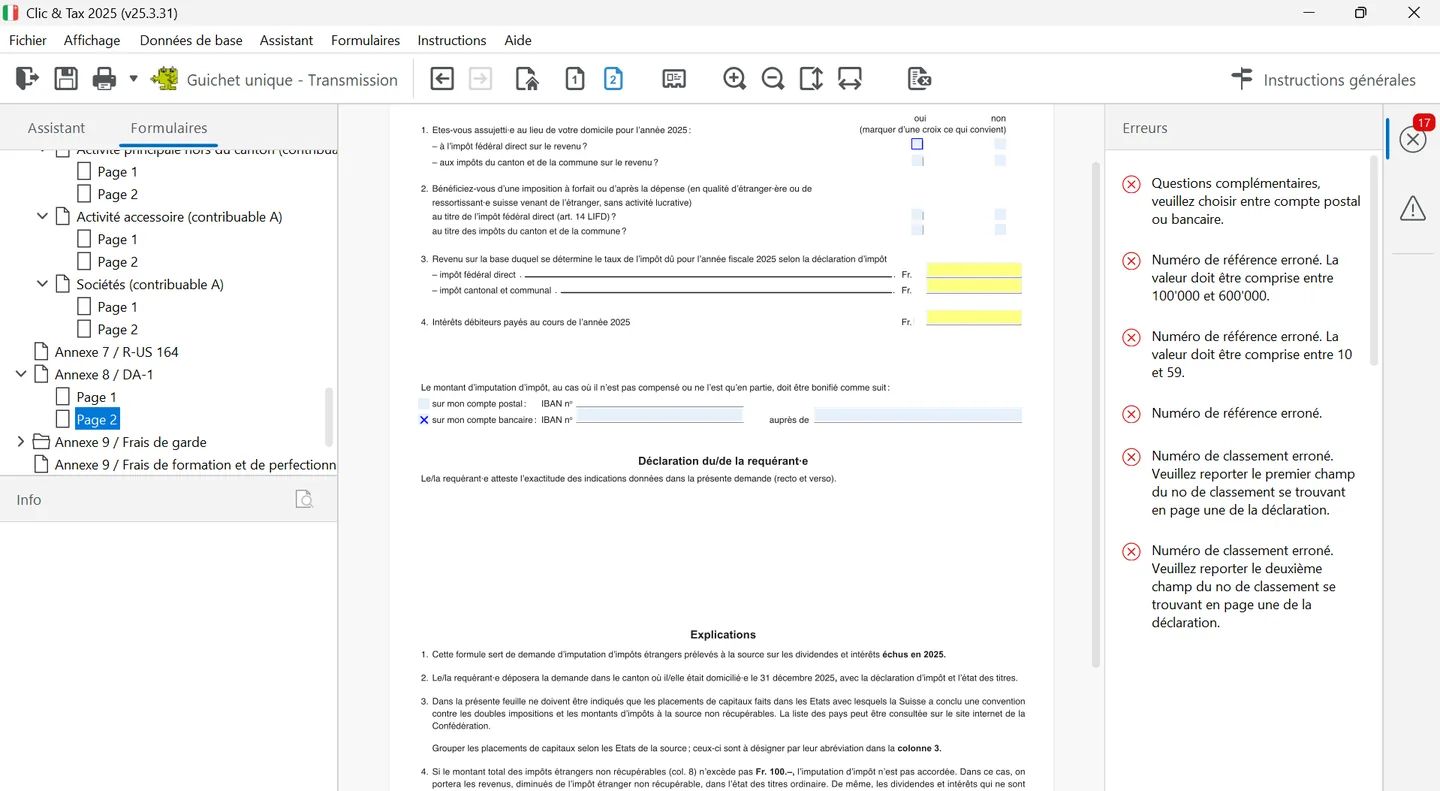
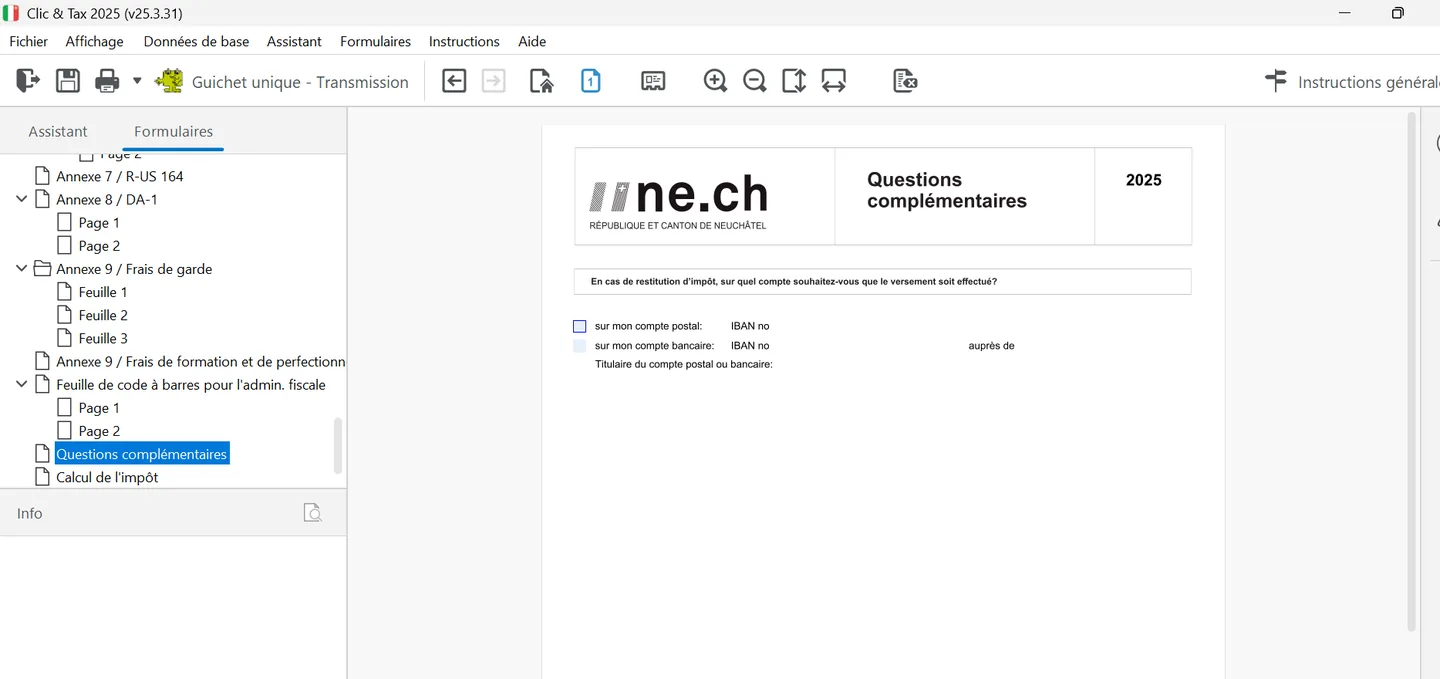
- Re-read the personal situation page, the additional information on page 4 (maintenance, lump sums, estates) and the « Questions complémentaires », where you choose the postal or bank account (IBAN and holder) for any tax refund.
- Compare the tax calculation (« Calcul de l'impôt ») shown by Clic&Tax with your 2026 instalments: it is only indicative and is not printed with the return.
- Check that each completed annex (securities, work expenses, property, medical costs, childcare) has been carried into the return.
- If you share the computer, export your return to a USB stick once finished.
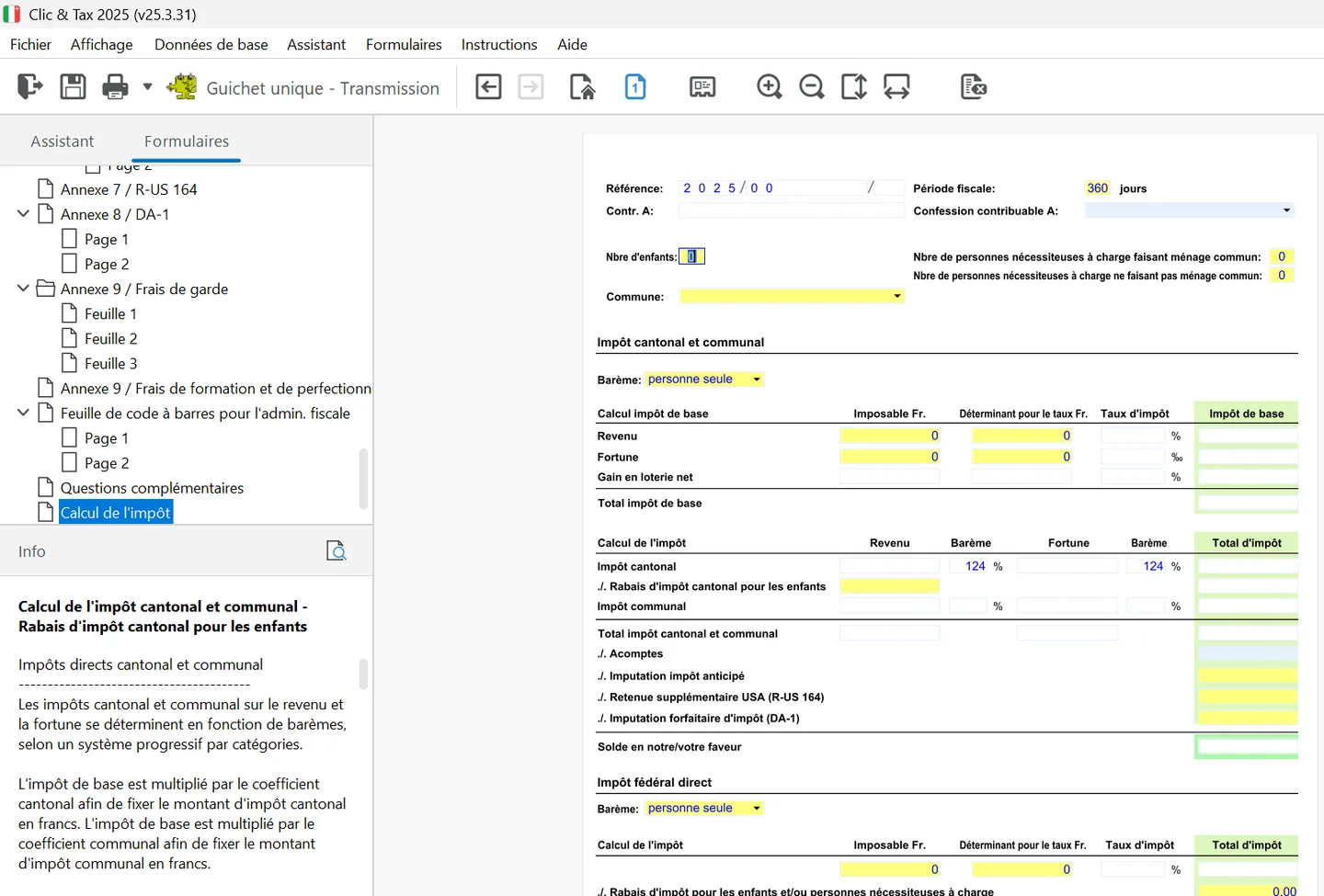
The « Calcul de l'impôt » page takes taxable income and wealth and the amounts that set the rate, applies the scale (single person or other) and the cantonal coefficient of 124%, subtracts the child tax rebate, instalments and credits (withholding tax, R-US 164, DA-1) to show the balance, then calculates direct federal tax and church tax. Clic&Tax states that this calculation is only indicative: the final amount is set by the assessment.
Filing through the Guichet unique
The Guichet unique of Neuchâtel's public authorities is the State's secure platform for online services. You need a free Guichet unique contract, requested on guichetunique.ch. In Clic&Tax, the « Guichet unique - Transmission » toolbar button, with the green logo creates an XML transmission file containing all your return data. On Windows it is saved by default in « Mes documents » (My Documents), in a Guichet_Unique folder followed by the year.
- 1In Clic&Tax, click the « Guichet unique » button to create the transmission file.
- 2Log in to the Guichet unique and choose, under « Impôt des personnes » (personal taxes), the theme « Déclaration d'impôt » (tax return).
- 3Upload the XML file created by Clic&Tax.
- 4Choose whether supporting documents are sent electronically or by post.
- 5To send them electronically, select your files with the « Parcourir... » (browse) and « Ajouter » (add) buttons.
- 6Click « Terminer » (finish), then download the filing receipt.
Filing on paper with the receipt
Print the return, the annexes and the receipt (« quittance ») containing the barcodes: they hold all your data, including the additional questions, which are therefore not printed. You need a printer set to at least 300 dpi, and Acrobat Reader for printing. Clic&Tax only prints pages with data. Sign only the receipt (you and your spouse), on its last page, which summarises the taxable amounts and the list of supporting documents to attach for your sections.
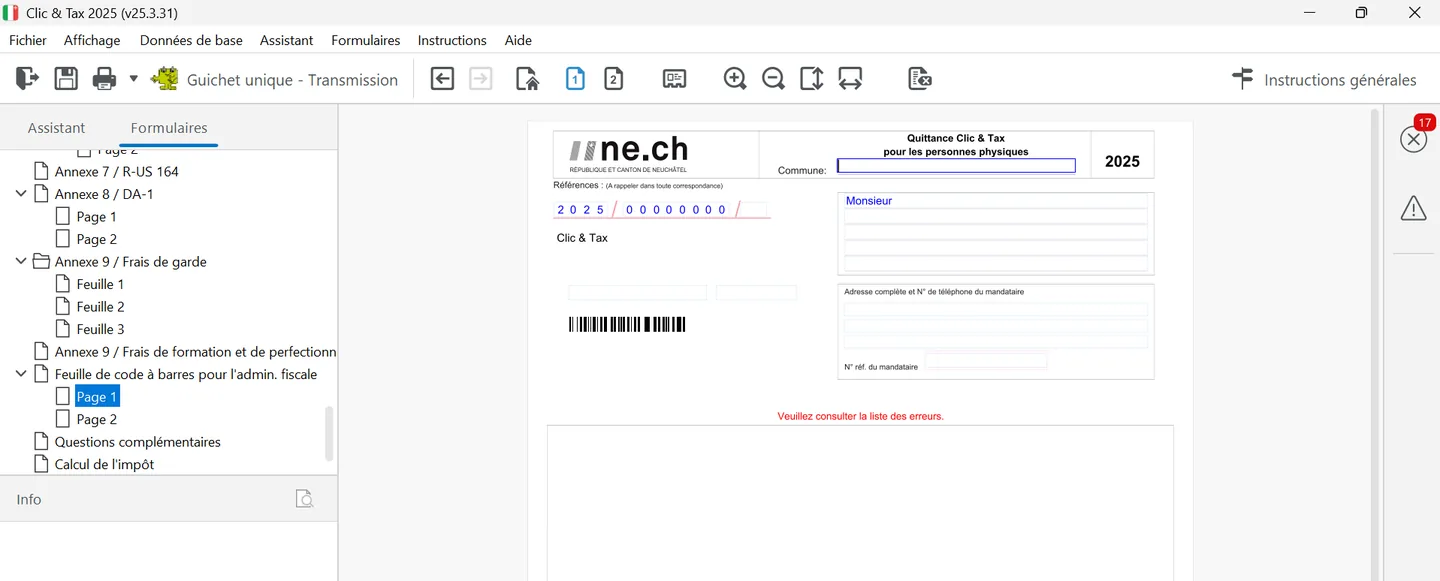
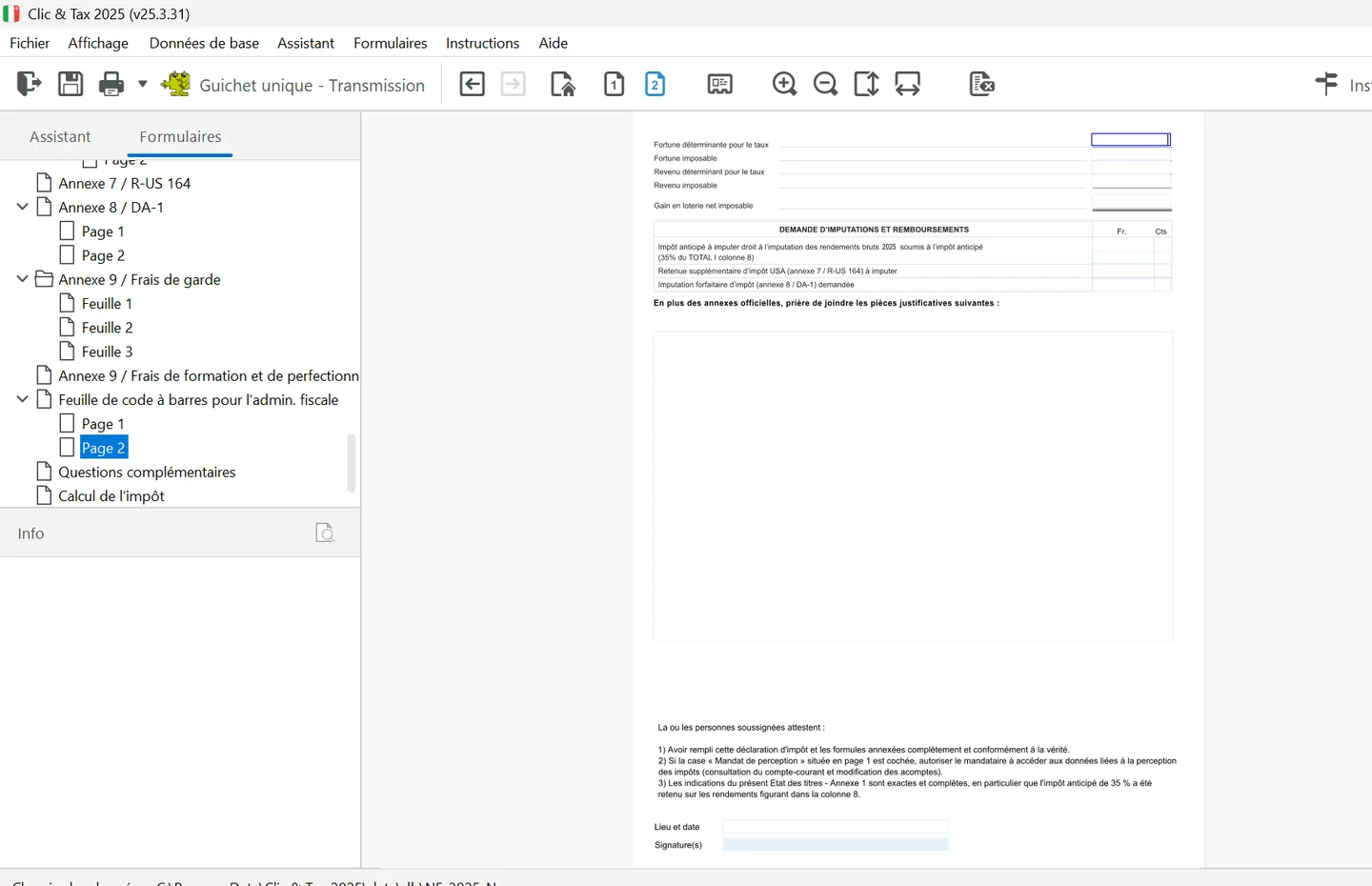
In the tree, the receipt is called « Feuille de code à barres pour l'admin. fiscale ». As long as errors remain, page 1 shows no barcodes but the message « Veuillez consulter la liste des erreurs » (see the list of errors). Page 2 sums up taxable and rate-setting wealth and income, the credit and refund claims, the list of supporting documents to attach and the declarations, with place, date and signatures.
- Slip all documents (printed pages, signed receipt, supporting documents) into the original return form you received by post.
- Apart from the main return, only annex 1 (securities list) must be returned, with your bank statements inside it.
- Attach copies: originals are not returned, except lottery win certificates, which must be sent as originals.
- Post everything in the envelope provided, with your own stamp. Sending by email is not accepted.
After filing: statements, assessment and objection
| Step | When | What to do |
|---|---|---|
| Interim statement (2026 cantonal and municipal tax) | February 2027 | Pay the difference before 31 March 2027 if instalments do not cover the tax, to avoid compensatory interest |
| Provisional 2026 federal tax bill | January 2027 | Pay by the end of March |
| Assessment notices (municipal, cantonal, federal) | During the year | Check them; written objection, by post, within 30 days |
| Final statements | After the notices | Pay the balance within 30 days, or receive the refund |
| Church contribution | April, reminder in September | Voluntary payment |
If you are in difficulty, a payment arrangement can be requested as long as the file is handled by the tax service; if unpaid after a formal notice, it is passed to the debt collection and debt relief office. If your income changes significantly in 2027, request an instalment adjustment (through the Guichet unique or by form, with supporting documents): it is only taken into account if the likely tax differs by more than 10% from the previous year's. Something left out of a past return can be reported voluntarily: a first voluntary disclosure carries no fine, with back taxes and interest for at most ten years.
Your return is on its way: you can go back to the guide home page for next year, or hand the next one to NeoFidu.
Frequently asked questions
Do I need to sign the return when filing through the Guichet unique?
No. Through the Guichet unique, the return and supporting documents are sent electronically without a signature. On paper, only the barcode receipt printed by Clic&Tax must be signed, by both spouses for a couple.
Can I send the Neuchâtel return by email?
No. The tax service does not accept returns by email. Use the Guichet unique or the post, with the envelope provided with the return.
Why will Clic&Tax not print my return?
Because the list of errors and warnings still contains at least one error. Open the list, click each error to go to the relevant section and complete it. Warnings alone do not block printing.
How long do I have to challenge an assessment in Neuchâtel?
30 days from receiving the assessment notice, with a written objection sent by post to the tax service.
Rather hand it over?
NeoFidu prepares and files your Neuchâtel tax return for you, including property, securities and subsequent ordinary assessment (TOU) cases, with a check for missed deductions. Service in English available.
This guide is for information only and is not personalised advice. Amounts come from the 2025 general instructions (« Instructions générales ») of the Neuchâtel cantonal tax service (Service des contributions), the overview of deductions for 2026 published in its 2026 interim instructions, its leaflets (« notices ») and the Swiss Federal Tax Administration's Neuchâtel cantonal sheet (February 2026). Clic&Tax is not available in English: we quote the French labels, followed by a translation, so you can find them on screen. If in doubt, the tax service's general instructions prevail.